Every kind of server
Pick Paper, Fabric, Forge, NeoForge, Bedrock and more, choose a version, and it downloads and sets itself up.
 Server Control Center
Download
Run real Minecraft servers on your own Windows computer. Paper, Purpur, Fabric, Forge, NeoForge, Bedrock and more, with a live console, player inventories, backups and a world map in one app.
No web host, no monthly plan. The servers run on your PC, and your friends join your address.
Pick Paper, Fabric, Forge, NeoForge, Bedrock and more, choose a version, and it downloads and sets itself up.
Type /g and pick gamemode from the list. Arrow keys or the mouse to choose, Tab to fill it in, then the arguments too.
Open any player full-screen: inventory, ender chest, armor, health and hunger, stats, advancements and where they are.
Every server.properties setting becomes a switch or number. It saves as you click and tells you when a restart is needed.
Incremental backups store each file once. Automatic restore points before big changes, restore in two clicks.
Browse Modrinth, Hangar and CurseForge from inside the app. Dependencies install themselves.
Real screenshots of the app running a Paper server.
Minecraft Server Control Center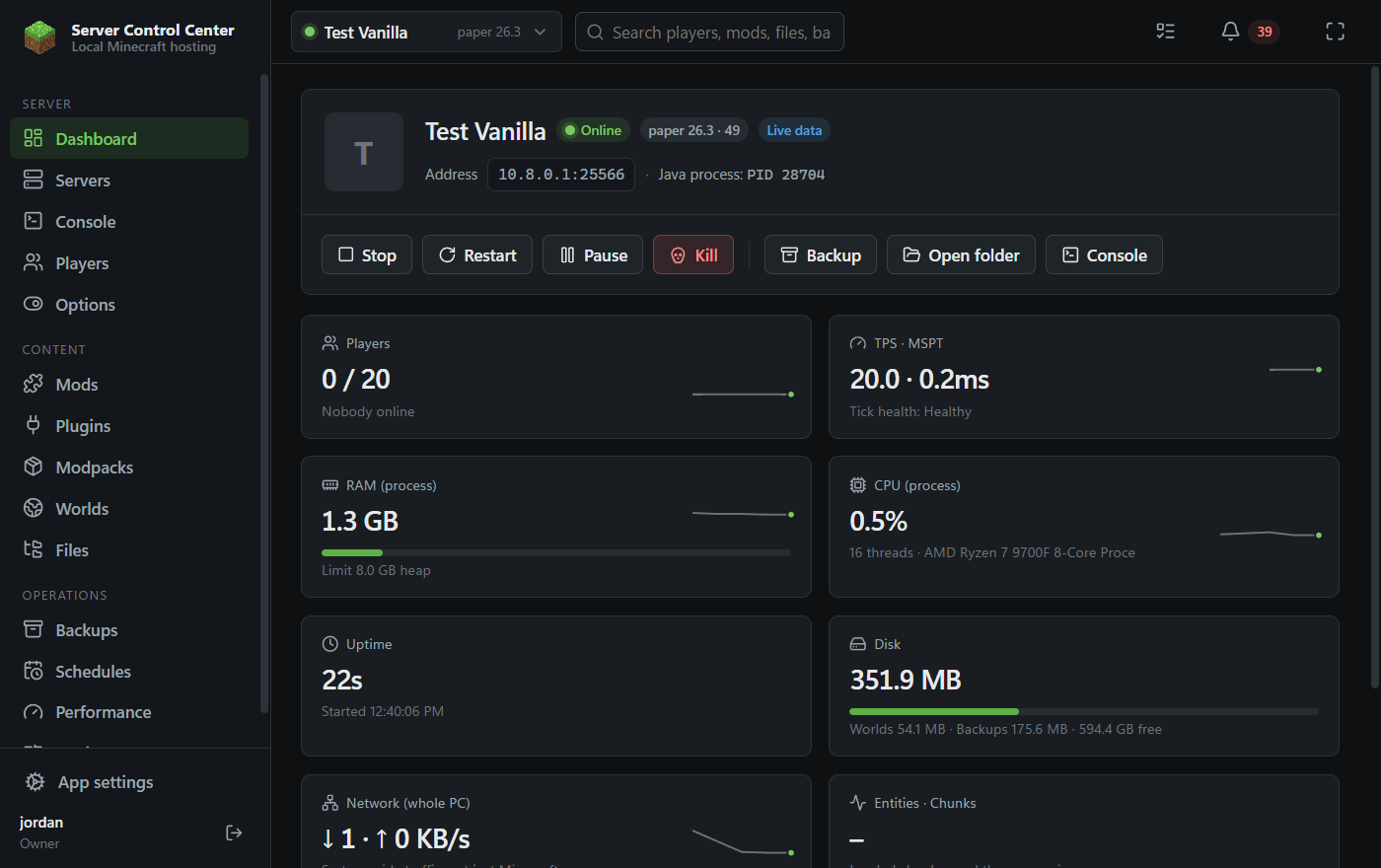
The dashboard: players, TPS, RAM, CPU and disk for the selected server, updated live.
Create a server, press Start, send your friends the address. That's it.
DownloadFree for Windows, Mac, Linux and Chromebooks. Java is downloaded for you when a server needs it.
Windows 10 and 11, 64-bit. One click: it installs and opens.
Download (.exe)macOS 12 or newer. Open the .dmg and drag the app into Applications.
Apple silicon (M1–M4) Intel MacTurn on Linux (Settings → About ChromeOS → Developers → Linux development environment), then open the download and press Install.
Intel / AMD Chromebook ARM ChromebookAppImage runs anywhere: download, allow it to run, open. The .deb installs on Debian and Ubuntu.
AppImage (x64) AppImage ARM · .deb x64 · .deb ARMClick Download for Windows and open MinecraftServerControlCenter-Setup.exe when it finishes.
The installer isn't code-signed yet, so SmartScreen may say "Windows protected your PC". Click More info, then Run anyway.
On Windows it's one click: no questions and no admin password. It adds a desktop and Start menu shortcut and opens the app. Then right-click its icon on the taskbar and choose Pin to taskbar (Windows only lets you do that yourself). On a Mac, drag it into Applications. The first time, macOS may say it can't check the app: open System Settings → Privacy & Security and press Open Anyway.
Make the owner account, press Create server, pick the software and version, and accept the Minecraft EULA. If the right Java isn't on your computer, the app downloads it (Eclipse Temurin) by itself.
Yes. It runs on your own PC, so there is nothing to rent.
Yes, if your router forwards the server's port to your PC. The app can try UPnP to open it automatically and shows you the address to share. Friends on the same Wi-Fi can always join with your local address.
Closing the window while a server is running keeps it running in the tray (next to the clock). Quitting from the tray stops every server cleanly first.
In your user folder under %APPDATA%\Minecraft Server Control Center. Uninstalling the app never deletes them.
Yes. The server side works everywhere. Playing inside the panel's window is a Windows feature; on a Mac or Linux the game opens in its own window instead. Chromebooks need the Linux development environment turned on. A Chromebook can host a small server for friends, but it has much less memory than a PC.